Custom PC Builds in Charlotte, NC
A custom PC delivers the performance you need without paying for parts you don't, and is easier to upgrade. The shop helps pick a balanced parts list, assembles, installs Windows and stress-tests; bring your own parts or have them sourced.
Tell us what you want the PC to do and your budget. We help pick a balanced, compatible parts list (or build with parts you already bought), assemble it with clean cable routing, install Windows and drivers, and stress-test it before you pick it up. Builds take 2 to 4 days. The build fee is shown on this page, and our work carries a 90-day warranty.
Signs you need this repair
Matched parts, good airflow and the memory actually running at its rated speed, not left at default.
Video editing, CAD, music production or data work all lean on different parts. More cores, more memory or more VRAM, depending on the software.
Bring them in. We check compatibility before building and tell you if anything won't work together.
A half-finished or non-booting build is something we see often. We'll find the cause and finish it.
Small form factor cases and silent builds need careful cooler, power supply and fan choices.
What usually causes it
Store-bought PCs often save money on the power supply, motherboard or cooling, which are the parts that matter for stability and future upgrades.
Socket, chipset, DDR4 versus DDR5, cooler height, card length and power connectors all have to line up.
A BIOS update, enabled memory profile and correct fan curves can be the difference between a good build and a frustrating one.
How we fix it
- 1Consultation and parts list
We talk through what you'll run, your resolution and refresh rate if you game, and your budget. Then we put together a parts list that spends money where it helps you.
- 2Compatibility check
We confirm the processor socket and chipset, memory type and speed, case clearance for the card and cooler, and power supply wattage with headroom for the card's spikes.
- 3Assembly
We build on an anti-static bench, check motherboard standoffs, seat the CPU and cooler with fresh paste, and route cables for airflow and a clean look.
- 4BIOS and firmware
We update the BIOS where needed, enable the memory's XMP or EXPO profile, set fan curves, and confirm every drive and device is detected.
- 5Windows install and drivers
We install Windows, current chipset and graphics drivers, and run updates. We leave out the bundled trial software.
- 6Stress test
We run sustained CPU, GPU and memory tests while watching temperatures and clock speeds. Problems like a bad memory stick or a loose cooler show up here, not at home.
Your parts options
You can supply everything, let us source everything, or mix the two. Either way we check the full list before building.
You pay only the build fee. Keep receipts and boxes in case a part arrives faulty and needs to go back to the seller.
We price the list for you to approve before ordering. Part availability can affect the 2 to 4 day timeline.
Drives, cases or a graphics card can often carry over. We'll tell you which ones are worth keeping.
Bring your own key or we can include one. A license tied to an old pre-built's motherboard may not transfer.
How long it takes
Builds take 2 to 4 days. That covers assembly, updates, Windows setup and a proper stress test. If we're sourcing parts, the clock starts when they arrive. A part that fails testing and needs replacing, or an unusual small form factor case, can add time. We'll keep you updated.
Models we repair
What customers say
I have been brining my family’s devices here for years now and it is always a pleasure. Mike & Gus are very knowledgeable and are able to communicate device issues honestly and in layman terms. Pricing is always fair and reasonable as well. Could not recommend them more to anyone in search of tech repair.Nathan Chadbourne · Computer repair · Google review
Michael is a total hero! Seriously, everyone on this team is amazing. They work absolute miracles every single day on our most complicated devices, from phones to computers. Best of all, they handle everything with incredible kindness and precision. They are exactly who you want in your corner when tech disasters strike out of nowhere. I also ended up replacing my laptop with one in their store. They gave me a great price too!Lynn N. · Computer repair · Yelp review
Great service! They had it done in a timely manner! 100 percent fixed. Would definitely recommend this shop for all your PC, Phones, and gaming consoles! I’ll be going back if anything else needs repair.TRu Kazekage · Computer repair · Google review
Real customer reviews from Google and Yelp, quoted word for word. … marks where a longer review was shortened.
Protect your computer and everything else at home
Covered Everything protects your phone plus up to 25 more devices, like consoles, laptops and tablets, for $19.99 a month. Set it up when you collect your repair.
How Covered works90-day warranty
On parts and workmanship.
Covered Everything
$99 per claim on this computer, $50 on your phone. Cancel anytime.
Fixed here, on our bench
Bring it in and we handle the claim with you.
Before you bring it in
- Write down what you'll use it for, the games or software, and your monitor's resolution and refresh rate.
- Set a budget range, including or excluding the monitor and peripherals.
- If you're bringing parts, bring them all at once, unopened if possible, with receipts.
- Decide on a Windows license, and have your Microsoft account ready if you want it linked.
- Tell us about any look you want, like a window side panel, RGB or no lighting at all.
Custom build or pre-built?
A custom build makes sense when you care about which parts go in, want to upgrade later, or need a specific mix for work. It also makes sense if you already own some parts. A pre-built can be fine for basic office use, or when a sale makes one cheaper than the parts alone. If you're unsure, bring us the specs of a pre-built you're considering and we'll tell you where it cut corners.
Thinking of fixing it yourself?
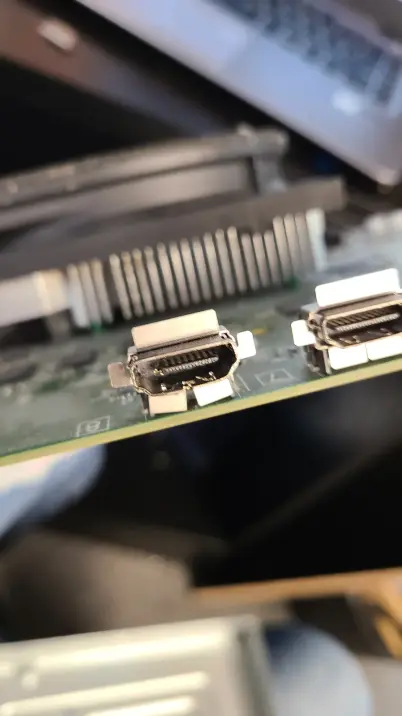
Building a PC yourself is very doable and plenty of people enjoy it. The common mistakes are forgetting the motherboard I/O shield or standoffs, bending CPU socket pins, plugging the monitor into the motherboard instead of the graphics card, leaving memory in the wrong slots, and not fully seating the 12-pin or 16-pin graphics power connector. If your build won't POST, check the debug LEDs on the board, reseat the memory, and try one stick. If you still have no display, stop before you start swapping parts at random and bring it in.
After your repair
- Fully seat graphics power cables and avoid sharp bends near the connector, especially on 16-pin cards.
- Clean dust filters every couple of months.
- Update the graphics driver and BIOS occasionally, but don't interrupt a BIOS update once it starts.
- Keep the boxes for a while in case a part needs a manufacturer warranty claim.
Questions people ask
Can I supply my own parts?
Yes. Bring them in and we'll check that everything is compatible before we build. If a part is dead on arrival, you'll handle the return with the seller and we'll finish the build when the replacement arrives.
Do you build gaming PCs and workstations?
Yes, both. Gaming builds lean on the graphics card. Workstations for editing, CAD or data work often need more cores, more memory and fast storage. We build for what you'll actually run.
Will you make sure my parts are compatible?
Yes. We check socket and chipset, memory type, case clearance, cooler fit and power supply capacity before assembly.
How much does a custom PC build cost?
The build fee is shown on this page. Parts are separate and depend on your list. You approve the full cost before we order or start.
How long does a custom build take?
2 to 4 days once we have all the parts, including the stress test.
Do you install Windows?
Yes, along with current drivers and updates. Bring your own license or we can provide one.
My build won't turn on or show anything. Can you fix it?
Yes. We see half-finished and non-POSTing builds often. It's usually memory seating, a missing CPU power cable, a BIOS that doesn't support the processor yet, or the monitor in the wrong port.
Can you move my files from my old computer?
Yes. We can move files from your old drive, or install the old drive in the new build as extra storage.
Is there a warranty?
Our assembly and setup carry a 90-day warranty. The parts themselves are covered by their manufacturers' warranties.
Related repairs
Mail-in repair from anywhere in the U.S.
Free diagnostic when it arrives. Free insured shipping back.
- 1Tell us your model and the problem
- 2Ship it insured. We diagnose it within a day
- 3Approve the price. Fixed and back in 7–10 days