From the bench
Nintendo Switch Lite screen replacement
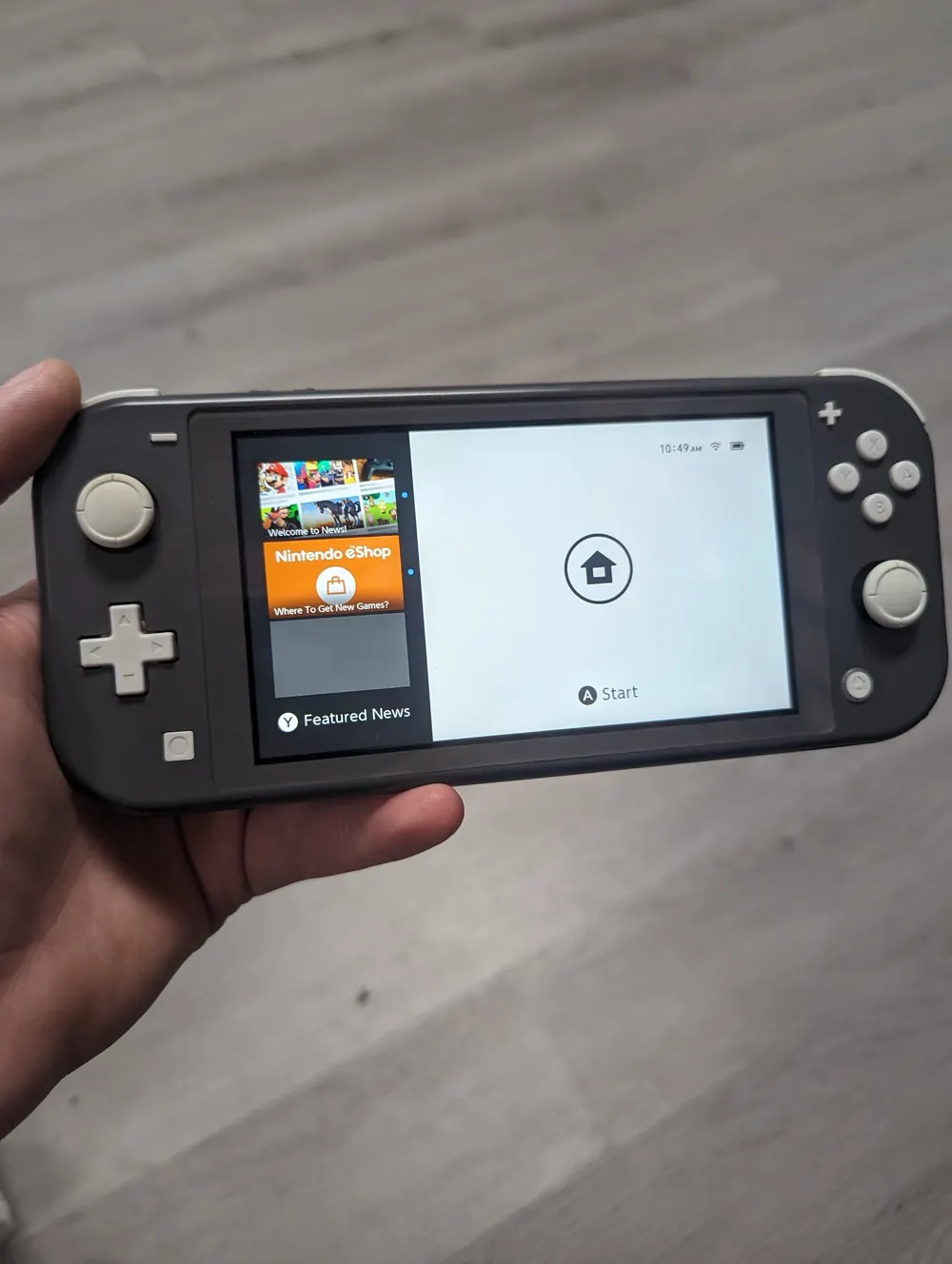
New screen fitted and back on the home menu.
The Switch is one of the most repaired consoles because of its portable design. Most Switch repairs are finished the same day without replacing the system.
We repair the original Switch, Switch Lite and Switch OLED in Charlotte: Joy-Con drift, charging ports and charging chips, screens, power faults, overheating and dock problems. Most repairs are done the same day. The diagnostic is free, the exact price for your model is shown on this page, and every Switch repair carries a 90-day warranty.
Characters walk on their own or menus scroll without input. The worn stick inside the Joy-Con needs replacing.
The Switch charges if you hold the cable a certain way, or not at all. Usually a loose or damaged USB-C port.
Black screen, no charging icon, nothing after time on the charger. Often a charging chip, sometimes a dead battery.
A cracked touchscreen, dead touch zones, lines or a dark display.
The dock light comes on but the TV stays blank. It can be the dock, the console's port or its video and power chip.
Docked play pushes the Switch harder. Dust and dried paste make it run hot or throttle.
The stick sensors wear with use, and Joy-Con drift is common enough that Nintendo has a known repair program for it.
Docks and chargers that don't follow USB-C power rules can kill the M92T36 chip that handles power delivery and TV output, or the charging chip next to it.
Charging in bed, playing while plugged in and drops loosen or crack the USB-C port.
Switch screens crack when the console is dropped, stepped on or sat on, and the Lite, which goes everywhere in a pocket or bag, takes the most hits.
Lint and dust clog the small fan and vent, especially when the Switch lives in a dock near the floor.
We test charging with a USB meter, check docking, touch, sticks and power, and give you a price before starting.
Joy-Con sticks are ribbon-connected modules we replace and calibrate. On the Lite, the sticks are inside the console, so we open the whole unit.
A damaged USB-C port is micro-soldered off and replaced. If the M92T36 or charging chip failed, we replace that chip at board level and test charging and TV output again.
The damaged screen is removed and a new one fitted, with the right adhesive so it sits flush. On the OLED, the panel is more fragile, and we handle it accordingly.
Overheating Switches get the fan and vent cleaned and fresh paste on the processor.
Charging, docking, touch, buttons and stick calibration are all tested before you pick it up.
Each Switch model has its own screen and layout, so pricing differs by model. You'll find yours on this page.
Detachable Joy-Cons, LCD screen and a dock for TV play. Charging and screen repairs are common.
Handheld only, with built-in controls. Stick drift and screens mean opening the whole console.
Larger OLED screen and an updated dock with a LAN port. Screen work costs more because the panel does.
For Joy-Cons that keep drifting, a TMR Hall Effect stick uses a magnetic sensor that doesn't wear the same way. Ask at the counter.
Most Switch repairs are done the same day, including Joy-Con drift and charging ports. A board-level charging chip repair, a screen we have to order, or liquid damage can take longer. We'll give you a time with the quote.
Live prices from our shop price sheet. Parts and labor included, with a 90-day warranty.
| Model | Screen Repair | Charging Port | Overheating |
|---|---|---|---|
| Nintendo Switch OLED | $139.99 | $109.99 | $79.99 |
| Nintendo Switch / Switch Lite | $109.99 | $99.99 | $79.99 |
EXCELLENT WORK!!!!!!!!! Prices Are Beyond Fair , Customer Service Was Wonderful & Helpful! Recommend Anyone Who Needs Games Or Phones Repaired. Awesome Stickers Too That They Provide. 10/10 ExperienceDeasaan Sargent · Console repair · Google review
… Definitely A five star rank for me with the experience I had I bring all of my electronics here PlayStation iPad iPhone, android PS5 Xbox I mean whatever it is if it’s electronic, I’m pretty sure they can fix itCoel Young · Console repair · Google review
I got my ps5 repaired in 3 hours and the customer service was excellent. Tony was very nice and he was fantastic!mani mms · Console repair · Google review
Real customer reviews from Google and Yelp, quoted word for word. … marks where a longer review was shortened.
Covered Everything protects your phone plus up to 25 more devices, like consoles, laptops and tablets, for $19.99 a month. Set it up when you collect your repair.
How Covered worksOn parts and workmanship.
$99 per claim on this Nintendo Switch, $50 on your phone. Cancel anytime.
Bring it in and we handle the claim with you.
Almost every common Switch problem is worth repairing. Joy-Con drift, charging ports and screens cost far less to fix than a new Switch, and you keep your console and its saves. Charging chip repairs are also usually worth doing. A Switch with liquid damage across the board, or a Lite with several failed parts at once, is closer to the line. We'll tell you where yours stands after the free diagnostic.
Before you open anything, try the simple fixes. Calibrate the sticks in System Settings, hold the power button for about 15 seconds to force a restart, and charge with the official adapter for a while before deciding it's dead. Joy-Con stick swaps are doable for a careful person with a tri-wing driver, but the ribbon connectors are small and easy to tear. Charging port and chip repairs need hot air and micro-soldering, and the battery sits right next to the work area. If the Switch got hot or smelled burnt after you plugged in a new dock, stop using that dock and bring both in.
Yes. We replace the worn stick module instead of just cleaning it, then calibrate. We can also fit TMR Hall Effect sticks for a longer-lasting fix.
It can be the port, the charging chip or the battery, and we test all three. Most often it's the port, which is usually a same-day repair.
It depends on the model and the fault. The exact price for your model is shown on this page, and anything that needs board work gets a quote first.
Most repairs, including Joy-Con drift and charging ports, are same day.
It might be. It can also be the console's USB-C port or the M92T36 chip that handles TV output. We test the dock and the console to find out.
Yes. Docks that don't follow USB-C power rules are a well-known cause of dead Switch power and charging chips.
Yes. The sticks are built into the Lite, so we open the console, replace the stick and calibrate it.
Most repairs don't touch storage, so your saves usually stay. Switch saves live on the console, not the game card, so turn on cloud saves if you can. We tell you about any risk before starting.
Yes. Every Switch repair has a 90-day warranty. For accidental damage down the road, Covered Everything can protect the Switch along with your phone and other devices. Ask us how it works.
Yes. Send it from anywhere in the US and we'll mail it back insured, free. Include the dock if the problem is TV mode.
Free diagnostic when it arrives. Free insured shipping back.