MacBook Water Damage Repair in Charlotte
Spilled something on your MacBook? The worst thing you can do is power it on. The second worst is waiting. Apple quotes $600–$1,200+ for a full board swap — we perform true board-level micro-soldering in-house, cleaning the corrosion, replacing failed components, and keeping your data intact. Liquid damage repairs start at $149 with a free diagnostic and no-fix-no-fee guarantee.
Do not power it on after a spill.
Turning on a wet logic board causes short circuits that burn traces and components. Power off, unplug, and bring it in — the sooner we clean it, the better the outcome.
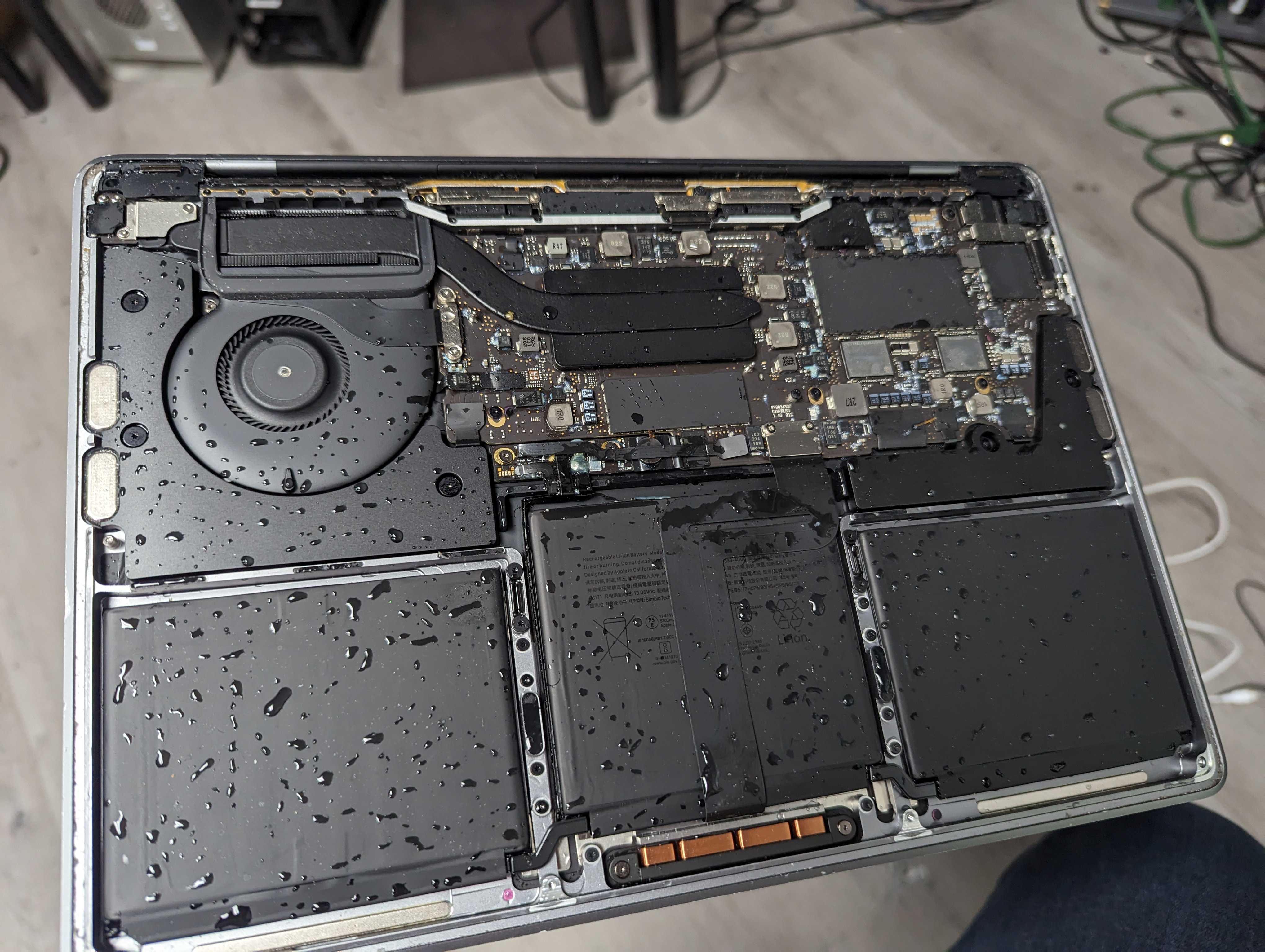
Time is the actual problem
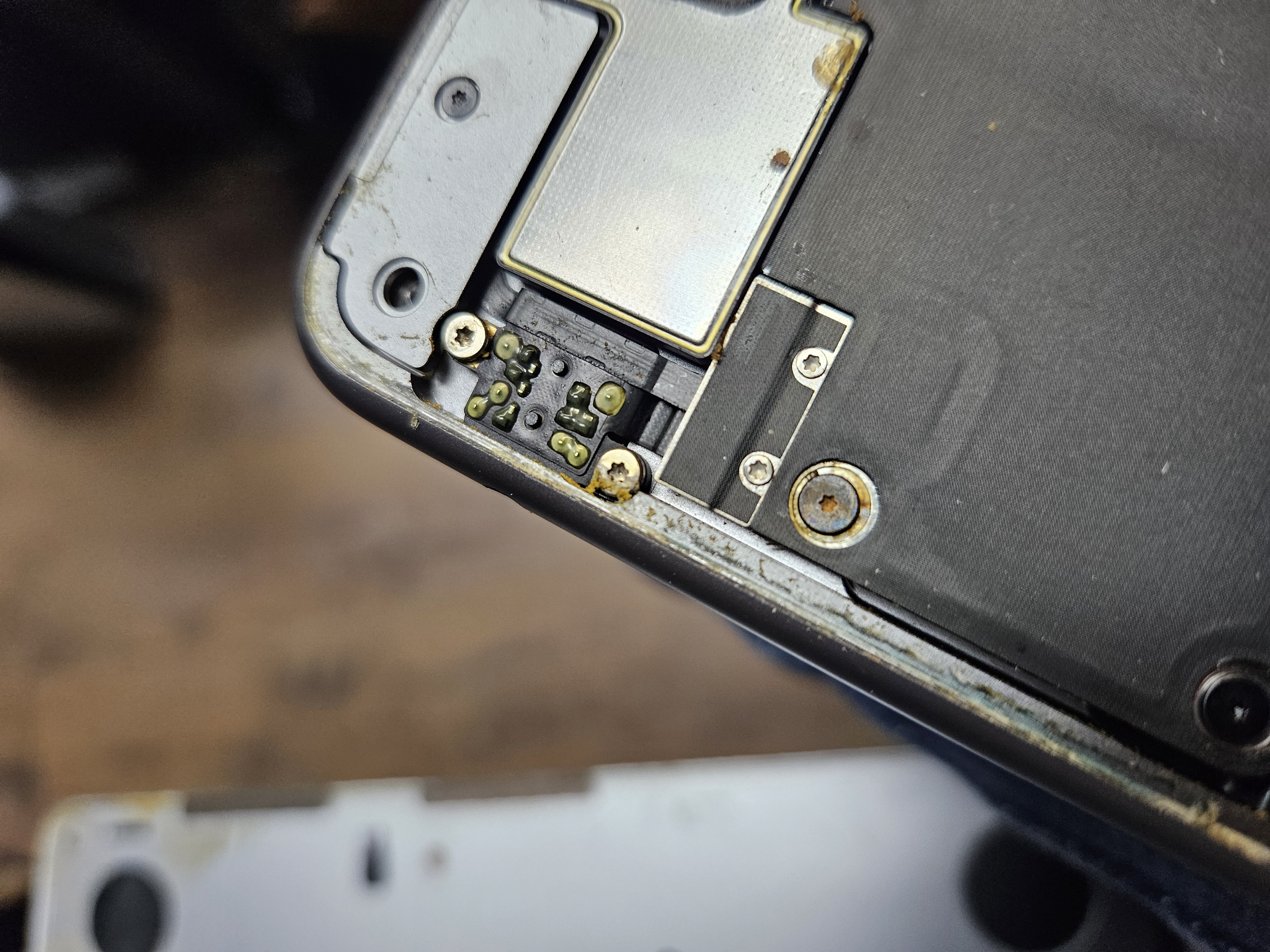
The photo above is what a MacBook looks like when it comes in. It's still wet — and corrosion is already forming on the board and components. The liquid itself sets that process in motion immediately on contact. The minerals left behind as it evaporates cause short circuits and spread further across the board over the days that follow.
A MacBook brought in quickly, while the damage is still fresh, has a much better chance of a full recovery than one that sat for a week after the owner “waited to see if it still worked.” The clock starts the moment liquid contacts the board.
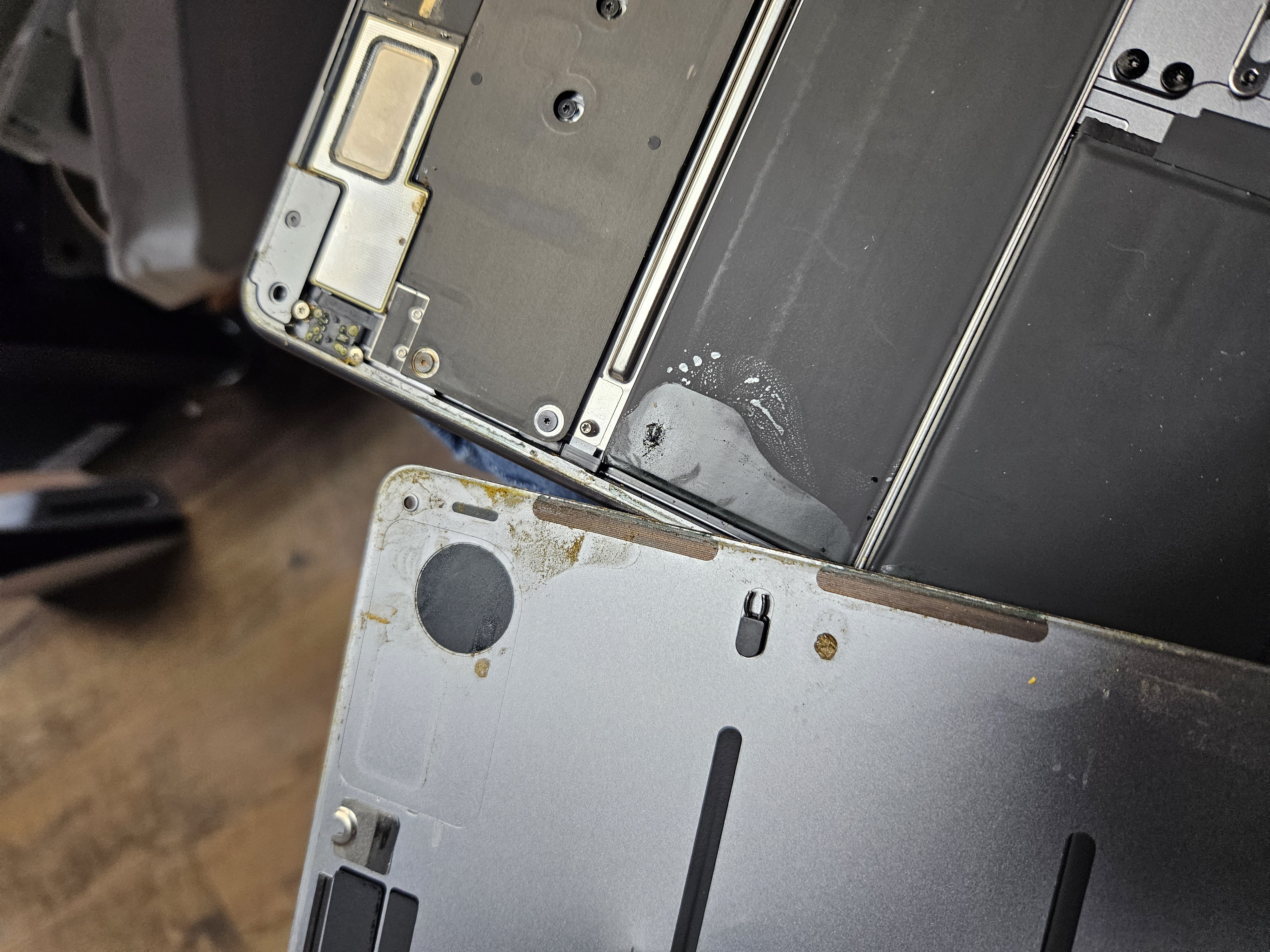
Signs your MacBook has liquid damage
- Liquid spilled on MacBook keyboard, display hinge, or port area
- MacBook won't turn on after a spill
- MacBook turns on but shuts off after a few seconds
- Keyboard, trackpad, or speakers stopped working after liquid contact
- Distorted or no audio since the spill
- Backlight works but no image on display
- USB-C or MagSafe ports stopped charging
- MacBook starts but runs very slowly or crashes frequently since the spill
Ready to get this fixed?
Free diagnostic, firm quote before any work begins.
Why liquid damage is a board-level repair
Most shops see liquid damage and quote a full logic board replacement. That's because they can't repair at the component level — they can only swap the whole board. We can. Using a stereo microscope, hot-air rework station, and precision micro-soldering equipment, we trace the damaged circuit paths, remove corroded components, and replace only what failed — the same process behind our motherboard repair service. Your data stays on your original storage chip.
How the repair works
- 1
Immediate intake — do not power on
The most damaging thing you can do after a spill is try to power the Mac on. Bring it in with the lid closed and unplugged. We record the spill history and power the machine off fully before beginning.
- 2
Disassembly & ultrasonic cleaning
We fully disassemble the MacBook, remove the logic board, and clean it under magnification with isopropyl alcohol to remove corrosion and mineral deposits before they cause further damage.
- 3
Board-level micro-soldering diagnosis
Using a microscope and multimeter we trace every power rail and identify failed components — power management chips, charging ICs, capacitors, resistors, and blown fuses — rather than condemning the whole board.
- 4
Component-level repair
We replace only the failed parts using precision micro-soldering. This is the work Apple outsources to a depot for $600–$1,200+. We perform it in-house at our Charlotte bench for far less.
- 5
Data recovery attempt
If the storage is intact we attempt to recover your files during the repair process — even when the board cannot be fully restored.
- 6
Full testing & warranty
We test every function — power, charging, display, keyboard, trackpad, ports, and Wi-Fi — before returning your MacBook with a 90-day workmanship warranty.