From the bench
PS4 Blu-ray drive repair
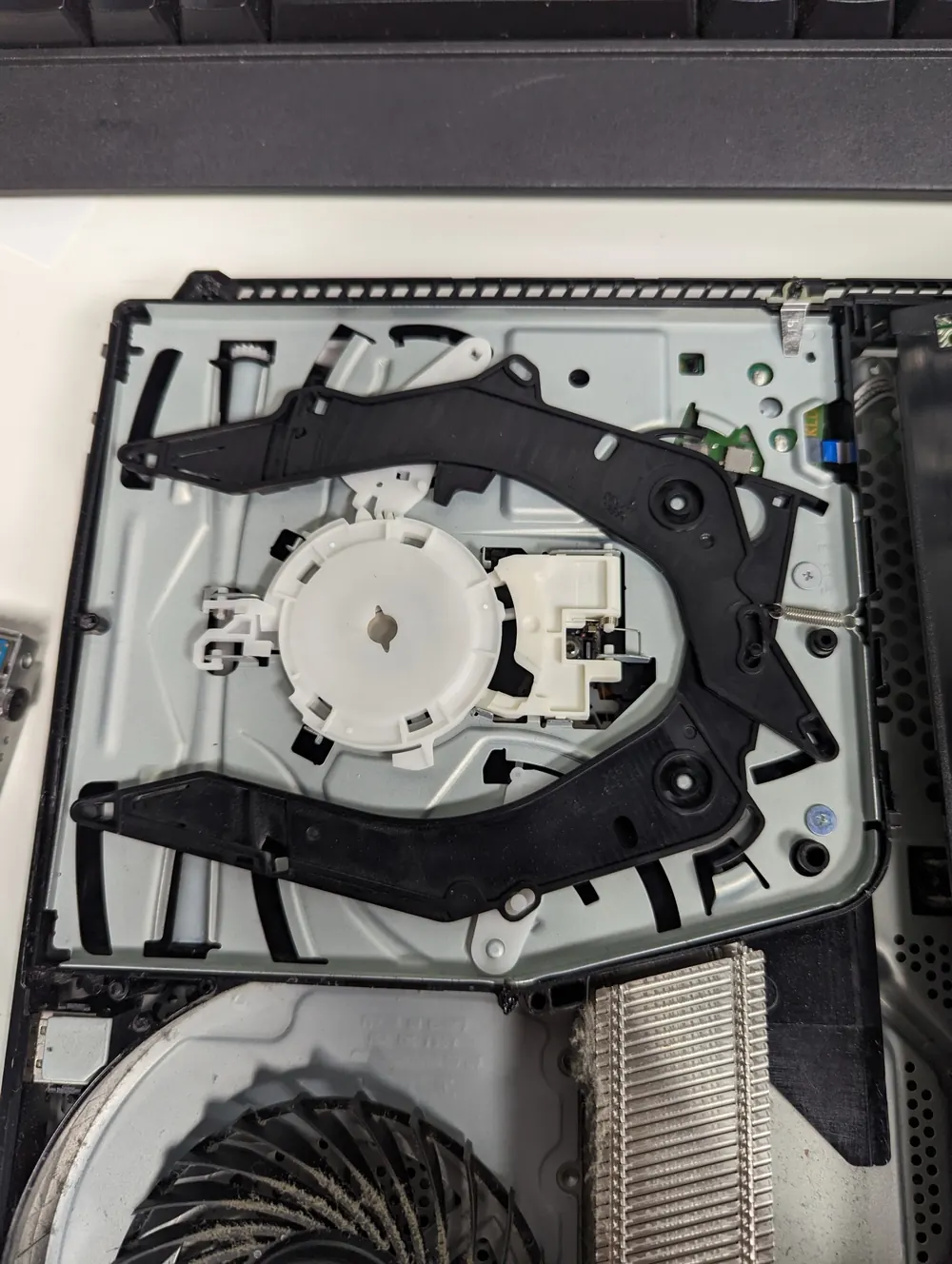
The Blu-ray drive mechanism in a PS4, opened up for a disc drive repair.
PlayStation and Xbox disc faults usually come from a worn laser, stripped gear or belt, or stuck eject sensor. The shop diagnoses whether to clean, replace the laser, or swap the drive, and handles board pairing for newer consoles.
We diagnose whether your disc drive needs cleaning, a new laser, new gears, or a replacement drive, and keep the drive's paired board so the console accepts it. Most drive repairs are done the same or next day. Diagnosis costs nothing, the exact price for your console is on this page, and a 90-day warranty covers the work.
The console says the disc is unrecognized or blank, or just shows nothing, even with clean discs that worked before.
A drive that grinds or keeps clicking as it tries to read has a mechanical problem or a laser that can't focus.
The disc is stuck inside and the eject button does nothing, or the motor runs but nothing comes out.
A PS4 that keeps beeping and spitting discs out, often with no disc inserted, usually has a faulty eject sensor or button.
The drive loads the disc, tries to read it and gives up. Often a weak laser.
The game starts copying and then stops or crawls. The laser is struggling to read parts of the disc.
Blu-ray lasers lose strength with use. Eventually the drive can't read some discs, then can't read any.
The loading mechanism uses small plastic gears and, on some drives, rubber belts. When they slip or strip, discs won't load or eject.
On the original PS4, the touch-sensitive eject button and the drive's sensor can trigger on their own, causing phantom ejects.
Bumping or moving a running console can scratch the disc and knock the laser out of alignment.
Dust on the laser lens weakens the read. Sometimes that's the whole problem.
We try several discs (games and movies) to separate a drive problem from a scratched disc, and listen to the mechanism as it loads.
The drive comes out of the console and is opened up. We check the laser, gears, belts, sensors and ribbon cable.
If the lens is just dirty or the mechanism is binding, cleaning and adjustment can be the whole fix.
A weak laser or a stripped gear is replaced. We keep the drive's original logic board, because on most modern consoles that board is paired to the motherboard.
If the whole drive has to go, we handle it in a way the console accepts. On a PS5 Slim or PS5 Pro, the detachable drive pairs over the internet the first time it's connected.
We run multiple discs through it, install a game, play a movie and cycle the eject several times before calling it done.
Pairing is the reason you can't just buy any drive and drop it in. Most modern drives are tied to their console, so the repair is planned around that.
For dust on the lens or a sticky mechanism. The lightest fix, when it's all the drive needs.
For a drive that can't read reliably. The laser is swapped and your original paired board stays in place.
For loading and ejecting problems. The fix depends on which part slipped or failed.
When the drive is too damaged to repair. We explain how pairing works for your console before going ahead.
Most disc drive repairs are done the same or next day. A drive that needs a specific laser or mechanism we have to order takes longer, and we'll tell you that at diagnosis.
EXCELLENT WORK!!!!!!!!! Prices Are Beyond Fair , Customer Service Was Wonderful & Helpful! Recommend Anyone Who Needs Games Or Phones Repaired. Awesome Stickers Too That They Provide. 10/10 ExperienceDeasaan Sargent · Console repair · Google review
… Definitely A five star rank for me with the experience I had I bring all of my electronics here PlayStation iPad iPhone, android PS5 Xbox I mean whatever it is if it’s electronic, I’m pretty sure they can fix itCoel Young · Console repair · Google review
I got my ps5 repaired in 3 hours and the customer service was excellent. Tony was very nice and he was fantastic!mani mms · Console repair · Google review
Real customer reviews from Google and Yelp, quoted word for word. … marks where a longer review was shortened.
Covered Everything protects your phone plus up to 25 more devices, like consoles, laptops and tablets, for $19.99 a month. Set it up when you collect your repair.
How Covered worksOn parts and workmanship.
$99 per claim on this console, $50 on your phone. Cancel anytime.
Bring it in and we handle the claim with you.
If you buy physical games or watch Blu-rays, repairing the drive keeps your collection playable and usually costs less than a replacement console. If you've gone mostly digital, it's fair to ask whether you need the drive at all. A console with a broken drive still plays digital games. We'll give you the repair price and let you decide. On older consoles with other problems, we'll tell you whether the drive is worth fixing.
Drive repairs look simple and often aren't. You can safely try a different disc, clean the disc with a soft cloth from the center outward, and on a PS4 or PS5, use the system's manual eject screw to free a stuck disc (the location is in Sony's support guide for your model). Swapping the drive yourself is where people get caught. A drive from another console usually won't work because of pairing, and a laser swap means handling static-sensitive parts and tiny ribbon cables. If you swapped the drive and now it doesn't work, bring in both drives.
Yes. Most are a laser or mechanism problem in the drive itself. The drive is paired to the console, so we work with the original drive whenever possible.
Usually a sticky eject button or a sensor problem inside the drive. We test the button and the drive to find which one it is.
If you have physical games or movies, yes. If you're digital-only, your console works fine without the drive and you can skip the repair.
Most are done the same or next day.
On most modern consoles the drive's logic board is paired to the motherboard, so a drive from another console won't read. That's why we replace the laser or mechanism and keep your original board.
Yes. The Slim and Pro drive pairs online the first time it's attached. We check the drive, the connector and the pairing.
Don't pry it out. PlayStation consoles have a manual eject screw. If that doesn't free it, bring it in and we'll get it out without scratching the disc or the drive.
Yes. Phantom ejects on the original PS4 are a known issue, and we fix them at the button or the drive sensor depending on the cause.
No. The drive doesn't store your data, and the repair doesn't touch the storage.
Free diagnostic when it arrives. Free insured shipping back.