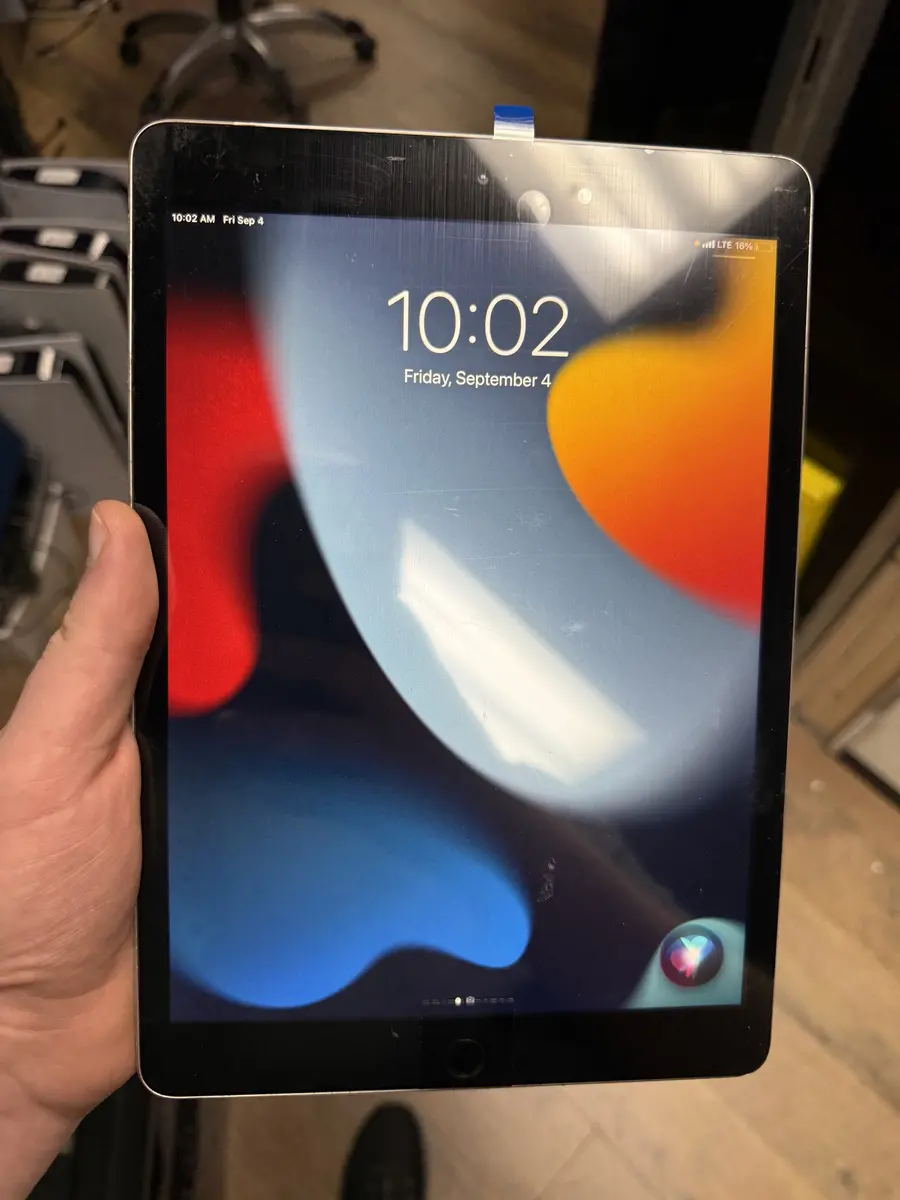
Ticket #T252
iPad 9.7" screen
Same-Day, From $79, Guaranteed for 12 Months
iPad screens replaced the same day — every model from classic iPads to the newest Pros —,
Walk in for a free diagnostic and we check if you need just the outer glass or the full display. The exact price for your iPad model is shown on this page. Most models are done the same day, usually before close. Every screen replacement includes Covered Screen, so if it cracks again within 12 months the next one is free, plus our 90-day warranty.
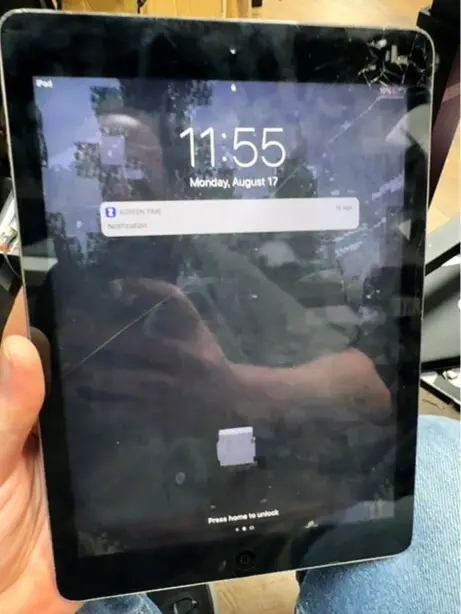
The image looks normal but the glass is split. On many standard iPads only the outer glass needs replacing, which costs less than a full display.
Parts of the screen ignore your finger, usually along a crack. The touch layer is damaged even if the picture is perfect.
Apps open by themselves or the keyboard types on its own. Cracked digitizers often register phantom taps, especially when warm.
Colored lines, ink-blot patches or a black screen with sound still working mean the display underneath is damaged, not just the glass.
After a drop, the Pencil can stop registering in certain spots. On Pencil models the digitizer handles that, so a damaged one shows up here first.
Large iPads bend easily. A raised corner can be a bent frame or a swelling battery, and we check which before replacing the screen.
Corners take the full impact and spread cracks across the glass. Most iPad screens we see start at a corner.
Sitting on an iPad, or carrying it in a backpack with heavy books, flexes the thin frame until the glass or display gives.
Slim folio cases protect the face when closed but leave the corners exposed. Kids' iPads in thin cases are our most common screen repairs.
A battery that's swelling can push the screen up from inside and crack it. In that case replacing only the screen won't solve it.
We look at the glass, the image and touch response to tell you if glass alone will do or the full display assembly has to go in. We also check the frame for bends and the battery for swelling.
You see the price for your exact model before we touch it. Nothing starts until you say yes.
We heat the edges to soften the adhesive and lift the damaged glass with plastic picks, working away from the display and Touch ID cables. Loose shards are taped down first so they don't scatter into the device.
On iPads with a home button, your original button carries over to keep Touch ID, because a replacement button can't be paired. Brackets, the camera trim and any small parts go to the new screen.
The frame is cleaned of old adhesive and glass dust, and new adhesive is laid down so the screen sits flat. On bent frames we straighten what we safely can, since a new screen on a warped frame is under stress from day one.
Before you pay, we check touch edge to edge, brightness, the home button and Touch ID, the cameras and Apple Pencil if your iPad supports one.
Which repair you need depends on how your iPad's screen is built. Standard iPads like the 6th to 9th generation, the 10th and 11th generation and the original Air have separate glass and display layers. The Air 2 onward, the mini 4 onward and every iPad Pro have the glass bonded to the display, so it's replaced as one assembly.
For non-laminated iPads where the picture is still perfect. It replaces the cracked glass and touch layer and keeps your original display.
For non-laminated iPads with a damaged picture but working glass. Less common, but it saves money when it fits.
For laminated models, or any iPad where both glass and display are damaged. You get new glass, touch layer and display in one part.
Most iPad screens are finished the same day, typically before close. Laminated models and big Pro screens take longer on the bench than a standard iPad, and a bent frame or swollen battery adds steps. If your model's part isn't in stock, we tell you when it will be before you leave the iPad.
Live prices from our shop price sheet. Parts and labor included, with a 90-day warranty.
| Model | LCD + Digitizer | Outer Screen (Digitizer Only) | Inner Screen (LCD Only) |
|---|---|---|---|
| iPad Pro 13" 8th Gen 2025 | $949.99 | Free diagnostic | Free diagnostic |
| iPad Air 13" M3 (2025) | $379.99 | Free diagnostic | Free diagnostic |
| iPad Air 13" M2 (2024) | $379.99 | Free diagnostic | Free diagnostic |
| iPad Pro 12.9" 6th Gen 2022 | $349.99 | Free diagnostic | Free diagnostic |
| iPad Pro 12.9" 5th Gen 2021 | $349.99 | Free diagnostic | Free diagnostic |
| iPad Pro 12.9" 4th Gen 2020 | $259.99 | Free diagnostic | Free diagnostic |
| iPad Pro 12.9" 2nd Gen 2017 | $449.99 | Free diagnostic | Free diagnostic |
| iPad Pro 11" 6th Gen 2025 | $799.99 | Free diagnostic | Free diagnostic |
| iPad Pro 11" 5th Gen 2024 | $899.99 | Free diagnostic | Free diagnostic |
| iPad Pro 11" 4th Gen 2022 | $259.99 | Free diagnostic | Free diagnostic |
| iPad Air 11" M3 (2025) | $264.99 | Free diagnostic | Free diagnostic |
| iPad Air 11" M2 (2024) | $264.99 | Free diagnostic | Free diagnostic |
| iPad 11th Gen A16 2025 | $249 | $124.99 | $199 |
| iPad Pro 10.5" | $199.99 | Free diagnostic | Free diagnostic |
| iPad 10th Gen 2022 | $229.99 | $124.99 | $169.99 |
| iPad Pro 9.7" | $199.99 | Free diagnostic | Free diagnostic |
| iPad 8th Gen (2020) | $179.99 | $99.99 | $124.99 |
| iPad Mini 7 (A17 Pro) (2024) | $349.99 | Free diagnostic | Free diagnostic |
| iPad 7th Gen (2019) | $179.99 | $99.99 | $124.99 |
| iPad Mini 6 | $324.99 | Free diagnostic | Free diagnostic |
| iPad 6th Gen (2018) | $169.99 | $99.99 | $124.99 |
| iPad Mini 5 | $199.99 | Free diagnostic | Free diagnostic |
| iPad Air 5 (2022) | $259.99 | Free diagnostic | Free diagnostic |
| iPad Mini 4 | $189.99 | Free diagnostic | Free diagnostic |
| iPad Air 4 (2020) | $259.99 | Free diagnostic | Free diagnostic |
| iPad Air 3 | $199.99 | Free diagnostic | Free diagnostic |
| iPad Mini 2 | $169.99 | $89.99 | $99.99 |
| iPad Air 2 | $189.99 | Free diagnostic | Free diagnostic |
| iPad Air 1 | $159.99 | $99.99 | $124.99 |
Great iPad repair here. Charging port was damaged as well as the screen. Got done FAST!kai kai · iPad repair · Google review
Tony was great. He helped me with my iPad screen repair. Very nice and knowledgeable.Jennifer Queen · iPad repair · Google review
They were awesome and fixed my charging port which was much needed for me! I highly recommendGavin Thorpe · Charging port · Google review
Real customer reviews from Google and Yelp, quoted word for word. … marks where a longer review was shortened.
Covered Everything protects your phone plus up to 25 more devices, like consoles, laptops and tablets, for $19.99 a month. Set it up when you collect your repair.
How Covered worksOn parts and workmanship.
Crack it again within 12 months and the next one is free. Included.
$99 per claim on this iPad, $50 on your phone. Cancel anytime.
Bring it in and we handle the claim with you.
For most iPads still on current iPadOS, a new screen is the right call, especially on glass-only models where the repair is a small fraction of a new tablet. It gets harder to justify on very old iPads that no longer get updates, or on a Pro with a bent frame plus a bad battery. If replacement makes more sense, we'll say so. A free quote costs you nothing either way.
Glass-only kits look easy, but iPad glass shatters into small sharp pieces when you heat and pry it, and the Touch ID and display cables sit right under the edge where the picks go. A torn Touch ID cable on a home-button iPad can't be fixed by swapping the button. On laminated models, cheap full-assembly parts often have weak touch or no Pencil support. If you've started and a cable tears, the display goes black or the new glass won't respond, stop and bring everything in.
Most models are done the same day, usually before close. Laminated screens and larger Pros take a little longer, and we tell you the time when you drop it off.
Not always. On non-laminated iPads like the 9th and 10th generation, we can replace just the outer glass. On laminated models (Air 2 and later, mini 4 and later, all Pros) the glass and display are one part.
Every screen replacement includes it. If the screen we installed cracks again within 12 months, the next one is free. Bring the iPad and your receipt and we take it from there.
A screen replacement doesn't touch storage, so apps, photos and games normally stay put. Back up if you can, and we'll tell you about any risk before we start.
On home-button iPads we transfer your original button, which keeps Touch ID, as long as its cable wasn't damaged in the drop. If it was, we tell you before we start.
We test it before you pay. Bring the Pencil along so we can check the whole screen with it.
Each iPad model's price is listed on this page. Glass-only repairs on standard iPads cost less than full displays on Airs and Pros, and you get a quote before work starts.
If it still runs current iPadOS and the apps you use, usually yes. If it's long out of updates, we'll give you an honest comparison with replacing it.
Yes. Bring it in for a free diagnostic and we'll quote your exact model. If you want ongoing protection for tablets and other devices, ask about Covered Everything.
Free diagnostic when it arrives. Free insured shipping back.